
The terms “iPhone bypass” or “IP bypass” are very common in online marketplaces, and these devices are usually priced significantly lower than market rates. However, not many people truly understand what this means or the consequences that follow.
“iPhone bypass” refers to a situation where the device is still locked by Apple’s security system, but that system has been partially bypassed using unofficial methods.
This situation most often occurs with used iPhones that weren’t properly signed out by the previous owner before the device changed hands.
Here, we’ll cover everything you need to know about iPhone bypass—from what bypass mode is on a phone to Apple’s official solutions if you have a device in this condition.
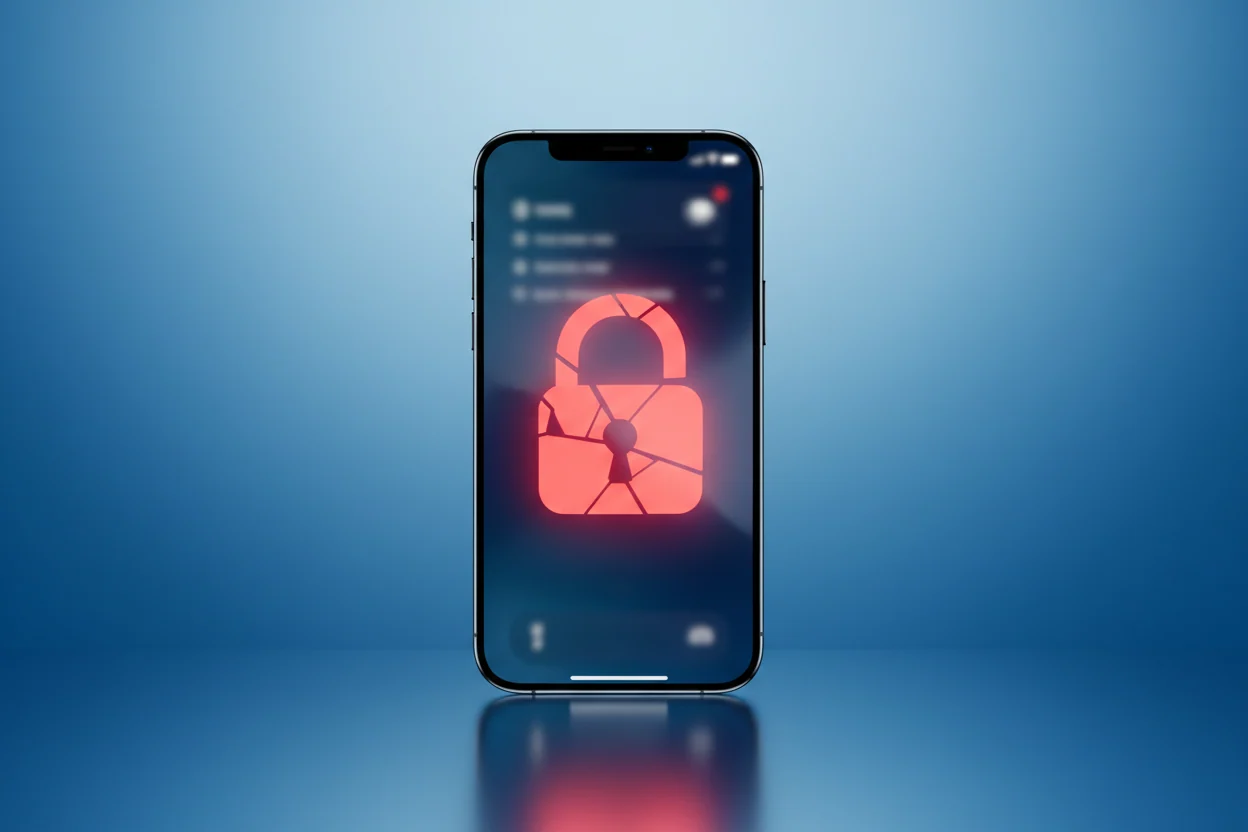
iPhone Bypass and Activation Lock
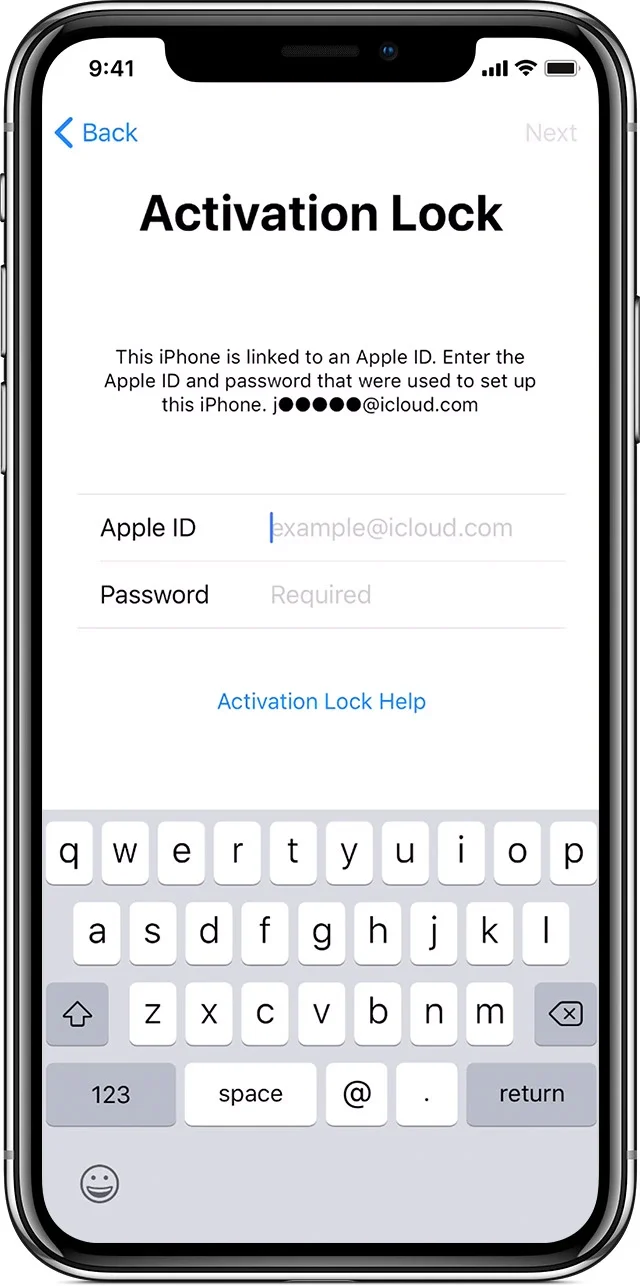
Activation Lock is a built-in Apple security feature that turns on automatically when Find My iPhone is enabled on a device.
Apple explains that Find My includes Activation Lock, a feature designed to prevent others from using an iPhone or iPad if the device is lost or stolen.
Activation Lock turns on automatically when Find My is enabled on a device, so as long as Find My is active and the owner hasn’t signed out of iCloud, the device will remain tied to the original owner’s account even if it changes hands.
Bypassing Activation Lock is the process of circumventing this security system without official authorization from the original owner’s account.
The methods vary, ranging from DNS manipulation, the use of third-party software such as iRemoval or iUnlocker, to the DFU flash method.
The result isn’t a permanent unlock, but rather limited access to some of the device’s functions.
Think of Activation Lock as a digital lock on a door, and a bypass only leaves the door half-open—it doesn’t open it completely.
If you see a listing labeled “bypass” on a marketplace, it means the device being sold is in an iCloud-locked state that can only be partially accessed through unofficial methods.
Why Might an iPhone Be in Bypass Mode?
Not all bypassed iPhones result from malicious intent, but you should understand these three common situations so you can assess the risks more accurately when making a transaction.
1. The previous owner forgot to sign out of iCloud before selling
This is the most common scenario in Indonesia’s used phone market because many sellers don’t understand or aren’t aware that they need to sign out of their iCloud account before handing the device over to the buyer.
As a result, the device that changes hands remains tied to the previous owner’s account and is automatically locked by Activation Lock when the buyer tries to activate it.
2. The device was previously reported lost or stolen
When an iPhone owner loses their device, they can activate Lost Mode via Find My iPhone, which permanently locks the device remotely.
An iPhone that has been in Lost Mode cannot be reactivated without the original owner’s consent, even after a factory reset.
3. Purchased from an untrusted source
This is the riskiest scenario because an iPhone sold at an extremely low price without a reasonable explanation almost always has an underlying issue.
It’s highly likely that the device is stolen and was sold quickly before the original owner had a chance to activate Lost Mode.
Of the three scenarios above, only the first one still has a chance of being resolved amicably by contacting the previous owner.
Identifying a “bypassed” iPhone before completing a transaction is much easier than most people think.
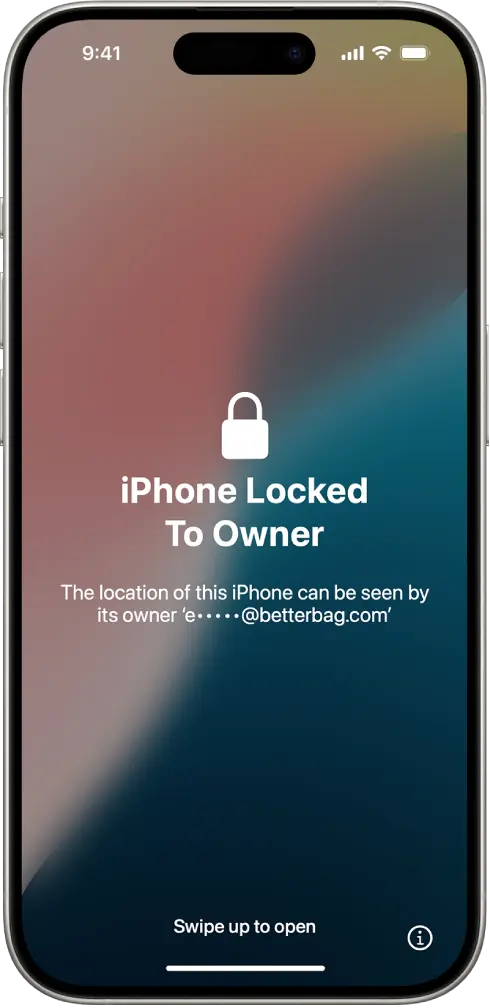
There are several tell-tale signs you can spot if you know what to look for.
1. The “iPhone Locked to Owner” Screen Appears During Setup
On devices running iOS 15 or later that are still subject to Activation Lock, an “iPhone Locked to Owner” screen will appear whenever the device is turned on or awakened from a powered-off state.
If you encounter this screen while attempting to set up a used iPhone you have just purchased, the device is either in a “bypassed” state or remains iCloud-locked.
2. Inability to Log In with a New Apple ID
During the setup process, the system will continue to request the Apple ID and password of the previous owner. There is no legitimate way to bypass this requirement.
If a seller claims the iPhone has been wiped, yet it still asks for someone else’s Apple ID, this is a warning sign that should not be ignored.
3. Certain Features Do Not Function Normally
A “bypassed” iPhone has limited functionality. Core features—such as phone calls, SMS, iMessage, the App Store, and iCloud—will not work at all.
In the worst-case scenario, the device functions essentially like an iPod; it may be able to play music or use Wi-Fi for certain apps, but it cannot be used as a functional mobile phone.
4. Selling Price Is Well Below Market Value
“Bypassed” iPhones are typically sold at 30% to 60% below the standard market price. A price difference this significant is not a typical discount; it almost always indicates that there is an underlying issue with the device.
If you come across an iPhone listing with a price that seems “too good to be true,” Activation Lock should be the first thing you suspect.
5. Seller Refuses an On-the-Spot Check
An honest seller will have no objection if a buyer asks to perform a fresh setup or verify the iCloud status in person before finalizing the transaction.
If a seller refuses, makes excuses, or appears uncomfortable when asked to allow an on-the-spot check, it is a red flag that should not be ignored. 6. Cannot Be Updated (iOS)
Users of “bypassed” iPhones typically avoid iOS updates because any system update carries the risk of re-locking the device to its original iCloud-locked state.
If a seller mentions that an iPhone cannot or should not be updated, or if its iOS version is significantly outdated compared to the latest release, this may indicate that the device has been subjected to a bypass.